

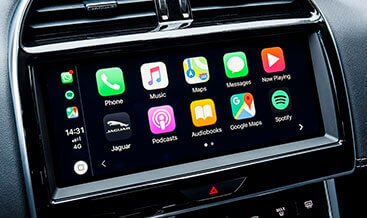
Apple CarPlay and Android Auto Pack activation

$150.00
For activation you should have
USB+HDMI, USB+microsim, USB+HDM+microsim socket in the central front
armrestAlso for correct work it’s better to have the last software version of the Touch
Pro infotainment systemIf you have only two USB socket you need install the
necessary hardware and wirings before activation
Apple CarPlay and Android Auto Pack activation
Apple CarPlay and Android Auto Pack activation is professional infotainment‑domain CCF coding service for Jaguar Land Rover vehicles fitted with factory‑compatible IMC infotainment control module and functional USB media‑hub hardware. Many JLR base‑trim vehicles ship with full physical hardware for smartphone‑projection, yet the Apple CarPlay and Android Auto functions remain disabled via factory Car‑Configuration‑File trim‑level flags. Using SX‑TOOL JET Master engineering software over ISO 13400‑2 DoIP or legacy CAN‑bus protocols, qualified technicians modify infotainment‑domain CCF parameters to unlock the complete Smartphone Pack for MY2017‑2025 JLR architectures including Range Rover, Defender, Discovery, Velar and Jaguar model lines.
Technical Overview
Native Apple CarPlay and Android Auto functionality is controlled by dedicated infotainment‑domain CCF parameters stored within the IMC head‑unit module. These flags govern menu visibility, USB‑media‑hub routing and HS‑CAN network permissions for smartphone‑projection traffic. This coding workflow reads the original factory CCF backup, enables both CarPlay and Android Auto feature flags, runs multi‑module integrity validation and writes modified configuration back via OBD‑II connection. Post‑write, controlled IMC module resets are executed for configuration take‑effect. This is purely software‑based activation; it does not add missing USB‑hub or infotainment hardware. Wireless projection capability depends on head‑unit firmware revision. A full roll‑back to factory condition can be completed restoring the original backed‑up CCF file.
Core Technical Activation Capabilities
- Infotainment‑domain multi‑parameter CCF modification enabling native Apple CarPlay and Android Auto Smartphone‑Pack for hardware‑equipped JLR vehicles
- Pre‑write CCF integrity validation to prevent invalid infotainment‑network parameter combinations before committing changes to IMC module memory
- Complete CCF backup‑restore workflow preserving original factory configuration before applying infotainment‑related changes
- Infotainment diagnostic routines: read IMC DTC faults, verify pre‑activation and post‑activation smartphone‑projection feature‑flag status
- Supports MY2017‑2025 DoIP platforms plus select late‑MY2016 CAN‑bus architectures for InControl Touch‑Pro and Pivi‑Pro systems
- Session‑log generation capturing vehicle VIN, timestamp and modified infotainment‑CCF parameters for internal workshop audit‑trail purposes.
Vehicle, Hardware & System Prerequisites
Critical hardware prerequisite: vehicle must have factory‑fitted functional data‑capable USB media‑hub located inside centre armrest. Activation cannot compensate for missing or non‑data USB ports. Outdated IMC firmware may require separate software update before smartphone‑projection will operate correctly. Host‑system requirement: Windows 10 / Windows 11 64‑bit PC with valid SX‑TOOL JET Master licence. Use J2534 adapters for compatible CAN‑bus vehicles or Enet‑WiFi / Type‑C Enet‑cable hardware for DoIP‑platform vehicles. Stable regulated 12 V battery supply is mandatory for CCF‑write cycles and infotainment resets. Some late‑model secure‑gateway‑protected vehicles may require supplementary online authorisation for infotainment‑domain configuration writes.
What This Activation Service Includes
- Apple CarPlay and Android Auto Pack CCF‑coding activation workflow for hardware‑qualified compatible JLR vehicles
- Infotainment‑domain CCF backup‑restore tool‑set for smartphone‑projection‑related configuration datasets
- Technical documentation: pre‑activation hardware‑verification checklist, coding procedure and post‑activation USB‑connection function‑testing guidance
Technical Disclaimer: Apple CarPlay and Android Auto Pack activation is intended for trained automotive technicians. Software coding only unlocks existing factory hardware capability; missing data‑USB or outdated firmware will block function operation. Always create full original CCF backup before performing configuration writes. Post‑sales support covers tool‑connectivity and workflow‑guidance only and does not replace official JLR OEM service training.
| Car Model | XF 2016-2020 |
|---|
Related products
Features Activation
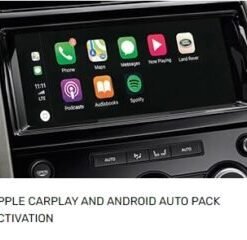
Apple CarPlay and Android Auto Pack for Discovery 5 2017-2020
Features Activation

Features Activation
Features Activation
Features Activation
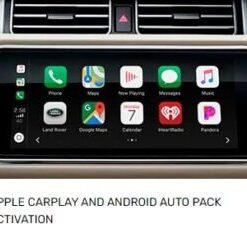
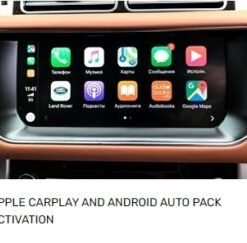
Apple CarPlay and Android Auto Pack for Range Rover Sport 2018-2022
Features Activation
Features Activation
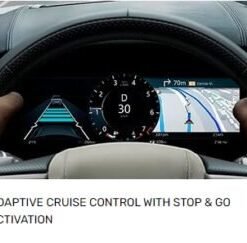
Adaptive Cruise Control With Stop-go Activation for Discovery Sport 2021+
Features Activation
Adaptive Cruise Control With Stop-go Activation for Range Rover Velar 2021+