

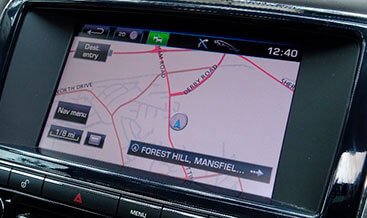
Navigation update Touch Plus (GEN 2.1)
Navigation update Touch Plus (GEN 2.1) is specialised infotainment‑domain workshop service for legacy CAN‑bus Jaguar Land Rover vehicles fitted with InControl Touch‑Plus Gen 2.1 head‑unit hardware. This service handles navigation‑feature CCF flag activation, geographic‑region parameter correction, pre‑update diagnostic health‑check and post‑map‑installation validation. Many import vehicles or cars with second‑hand swapped IMC modules possess physical navigation‑capable Gen 2.1 hardware, yet navigation menu items remain hidden because of incorrect trim‑level or regional CCF settings. Using SX‑TOOL via J2534‑2 CAN‑pass‑through hardware, qualified technicians configure vehicle parameters to prepare the Gen 2.1 infotainment unit for official USB‑delivered map‑database installation for MY2014‑2016 JLR architectures.
Technical Overview
The InControl Touch‑Plus Gen 2.1 platform runs over JLR high‑speed CAN‑bus networks; full navigation functionality requires three prerequisites: navigation‑capable Gen 2.1 IMC hardware, correctly‑configured infotainment‑domain CCF flags, and valid map‑database files loaded from USB‑storage media. The master vehicle CCF stores “navigation‑present” enable flags plus market‑region codes; wrong values suppress navigation menus even when the head‑unit hardware supports navigation. This coding workflow reads and backs‑up the original factory CCF, adjusts navigation‑feature and geographic‑region parameters, executes multi‑module integrity validation, and writes corrected configuration over OBD‑II. Post‑write, a controlled IMC cold reboot is mandatory for menu‑changes to become visible. Please note this service provides OBD‑side configuration and diagnostics only; map‑database USB media must be sourced separately from official JLR channels. Full roll‑back is possible restoring the original backed‑up CCF file.
Core Technical Service Capabilities
- Infotainment‑domain CCF parameter modification: enable navigation‑feature flags and correct geographic‑region‑codes for Gen 2.1 Touch‑Plus hardware‑equipped JLR vehicles
- Pre‑write multi‑module CCF integrity validation to block invalid infotainment‑navigation‑region parameter combinations before writing to IMC memory
- Complete CCF backup‑restore workflow preserving original factory‑configuration before applying Gen 2.1 navigation‑related infotainment‑changes
- Infotainment diagnostic routines: read IMC DTC faults, verify IMC firmware revision, pre‑update health‑check and post‑USB‑map‑installation navigation validation
- Supports MY2014‑2016 legacy CAN‑bus Gen 2.1 Touch‑Plus systems; incompatible with newer Touch‑Pro and Pivi‑Pro DoIP infotainment platforms
- Session‑log generation capturing vehicle VIN, timestamp and modified infotainment‑CCF‑parameters for internal workshop audit‑trail purposes.
Vehicle, Hardware & System Prerequisites
Critical hardware prerequisite: vehicle must be factory‑fitted with navigation‑capable InControl Touch‑Plus Gen 2.1 IMC hardware. Coding cannot add navigation functionality to non‑navigation Gen 2.1 hardware variants. Supported MY2014‑2016 Range Rover, Range Rover Sport, Discovery Sport, Evoque and compatible Jaguar models. Host‑system requirement: Windows 10 / Windows 11 64‑bit PC with valid SX‑TOOL software licence and J2534‑2 compliant CAN‑pass‑through interface. A stabilised 12 V power‑supply must be maintained through all CCF‑write cycles and IMC reboots. Some Gen 2.1 regional map datasets have reached official end‑of‑support lifecycle, which is independent of CCF configuration status.
What This Service Includes
- Touch‑Plus Gen 2.1 navigation‑feature‑activation and region‑correction CCF‑coding workflow for hardware‑qualified CAN‑bus JLR vehicles
- Infotainment‑domain CCF backup‑restore tool‑set for Gen 2.1 navigation‑related‑configuration‑datasets
- Technical documentation: pre‑update hardware‑verification‑checklist, coding‑procedure and post‑USB‑map‑installation‑function‑testing‑guidance for Gen 2.1 systems.
Technical Disclaimer: Navigation update Touch Plus (GEN 2.1) service is intended for trained automotive‑technicians. CCF‑coding only unlocks‑existing‑Gen 2.1‑navigation‑hardware‑capability; valid‑official‑USB‑map‑database‑files must‑be‑obtained‑separately. Always‑create‑full‑original‑CCF‑backup‑before‑performing‑configuration‑writes. Post‑sales‑support‑covers‑tool‑connectivity‑and‑workflow‑guidance‑only‑and‑does‑not‑replace‑official‑JLR‑OEM‑service‑training.
| Car Model | XJ 2010-2019 |
|---|
Related products
Features Activation
Features Activation
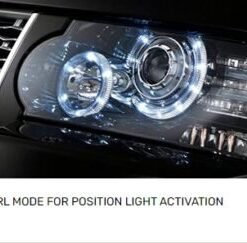
Position Light DRL Mode Activation for Range Rover 2010-2012

Features Activation
Features Activation
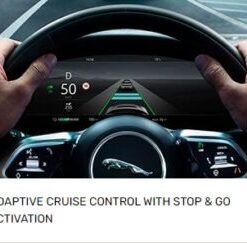
Adaptive Cruise Control With Stop-go Activation for Jaguar I-Pace 2021+
Features Activation
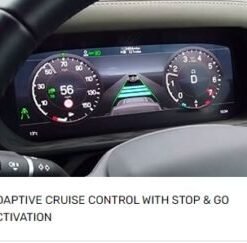
Adaptive Cruise Control With Stop-go Activation for New Defender 2020+
Features Activation
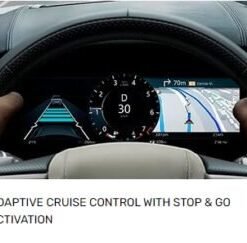
Adaptive Cruise Control With Stop-go Activation for Range Rover Velar 2021+
Features Activation
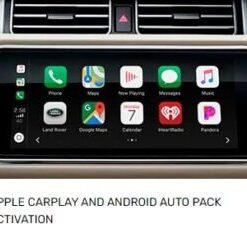
Apple CarPlay and Android Auto Pack for Range Rover 2018-2021

Features Activation